Pages

Showing posts with label Android. Show all posts

Wednesday, February 24, 2016

Post-PC, more evolution than revolution

    So, it's been awhile ... again.

    After almost a year away from this blog, I have decided to return. It has been a very exciting year. I moved twice, got back to "nature" and all things outdoors while at the same time learning some new trade skills. Welding is more fun than I thought it would be.

    When I last left off, I was attempting to go "Post-PC". At that time, the potential was there, but the capability was just too lacking. There just was not enough software in place to make the transition I was hoping to make. My goal was, and still is, to embrace the "Post-PC" ideals and become completely free of the PC. A goal not without many challenges.

    I suppose I should bring everyone up to speed on the "why". I have been involved in PC's since before the days of Commador V16's and TRS-80's (though the Amiga was truly astounding for its day). I have always been an early adopter of new technology, even in my childhood. Now in my forties, I still find the future a mysterious idea full of wonder and possibilities. While not all new ideas will take off, some will. Other ideas will change and merge with still more ideas, hopefully for the better. I have always felt that the future, wether dystopian or utopian, or whatever it turns out to be, will be very different than what is here today and I look forward to it all.

    So what is the difference between a "PC" and a "Device"? At the root of it, not much. In fact this question is still being asked. It used to be a device was single purpose. A printer, a fax machine, or even a cell phone, was a "device". Then the term "multi-function" came out and the lines started to blur. In fact, most "devices" today are actually low power computers. Some say the modern definition should be anything with a keyboard and mouse is a "PC". Some used to say it was the ability compile software directly on the Device made it a PC. You can now do that with Android, so that really isn't much of a benchmark anymore.

     So as the world becomes more mobile, raw horsepower isn't the goal it used to be. Instead users are looking for an experience that is smooth, coherent, cohesive and works across multiple devices, PC's and whatever else can be connected together. The goal is all of your data available, on demand, on any device or computer. As the world becomes more and more connected, the amount of data available is becoming staggering to us old farts who grew up learning to type on an actual typewriter. For the next generation, it's just the way the world works.

    Going "Post-PC" isn't exactly what I thought it was going to be, and yet it is. The ideas are still forming, the workflows still being worked out and the future is not yet written. I love the idea of getting away from the desktop, yet there are still things that a desktop will be better at. So then what does "Post-PC" actually mean then?

    In my mind, the Post-PC era isn't a revolution. It's more of an evolution. The "devices" don't need to be as powerful as a desktop, but merely good enough. They must have a smooth and natural UI, be able to connect to all of your data, and be able to get the most common tasks done relatively easily. Framed in such a way, I think the age of mobile is doing very well and will continue to do so. Most tablets, phones and other non-traditional PC's cost much less up front than a gaming computer, or one that is built for large scale 3D rendering or video editing. While much less "powerful", they are good enough for day-to-day use, and I think that's the point.

    To this end, my wife has purchased me a new iPad Pro, complete with a keyboard and an Apple Pencil. Using a touch screen can be seen as just a new way to use a mouse, especially if using a stylus or other such add-on. The iPad Pro is truly amazing for what it is and I can see why so many people have adopted it. Granted, this is also my first tablet, but for the first time I think I may be able to give up my MacBook Pro completely. Yes, it is that good (enough). Realistically, I don't write code these days, I no longer do custom ROM's for phones and there are a lot of things that I just don't do anymore with computers. Not because I can't, I have just enjoyed being being a user long enough that the stress of doing those things is no longer outweighed by the satisfaction of doing it.

     As my computing needs change I find that I really like just being a user. In the end, it has made all the difference. 

Sunday, September 2, 2012

The future of the PC

    This post is all about the current state of personal computer. Recently windows domination slipped a few factions of a percentage point, but does it really mean anything to the average user? Does anyone other than the geeks really care? The answer to both of these is probably a big fat "not really". But it is the geeks, nerds and tech-heads that shape and define the digital world for the average user, so perhaps its only fitting that the architects of the future care more than its tenets.

Tuesday, August 21, 2012

Did Linux miss the boat? or did it take the train instead?


    This post is all about Linux. This post is not about Mac vs. PC vs. Linux, or any combination therein. No, this is just about Linux and where I feel it is doing great, still failing, and where I think its headed. At least, where I think it should be headed.

Thursday, May 24, 2012

iOS 5.1.1 JailBreak for A5 devices ... almost here

    Its not often I wait for software to be released with any real amount of anticipation. And then there's the forthcoming Absinthe 2.0 that is scheduled to be released in just over ten hours from the time this post was made.

Sunday, March 11, 2012

Practical Linux ... just my thoughts

    Ever since the early 90's, when I built my first Salckware Linux distribution from source code I have been fascinated with the idea of a free, open-source operating system. When you consider the very idea of an entire planet of free thinking people all coming together, without pay, to make something truly great it staggers the mind. That is, until you really get to the nuts and bolts of it.

Saturday, February 25, 2012

Your smart phone may be your new PC

This is not going to be your typical rundown of who has what, or who does this or that better. No, this is something a bit less ... tangible. It is time for some speculation. Specifically, is Android poised to wipe the virtual walls of the internet with iOS?


Monday, February 20, 2012

Ubuntu, an affordable media server

    Ubuntu is a Linux operating system that is both free and open source. It is also a great way to serve media to your home network and even your television for next to no money. 

Sunday, January 8, 2012

10 Reasons Why Custom ROMs suck

     Yes, you can install a custom rom, and many are very close to being a great alternative, but none are their yet. You can even add new features. But the pain and stress just isn't worth it. These are my top 10 reasons for my frustrations at the entire "Custom ROM" community for the Google Android operating system.

Monday, January 2, 2012

Ice Cream Sandwich on Droid 2 Global

    Today, I took the plunge and tried a custom ROM for my Motorola Droid 2 Global. Yes, it is an older phone and yes I am eligible for an upgrade in 10 days. With this being the new year, I figured, what the heck, lets go for it.

Thursday, December 22, 2011

I am so done with Windows

    I got up early this morning thinking I was going to have a really good day. Yes it was raining and a bit chilly, but it was also the start of my five day weekend. Longest paid weekend I have ever had, I love the holidays.

    Before the clock showed seven this morning I got a call from a frantic co-worker. Apparently he inadvertently installed a driver for a keyboard with the wrong language for yet another co-worker. At this point I should mention his job is working on Windows based computers. The normal solution is of course, just uninstall the driver and install the correct version. Of course if was that simple I wouldn't have anything to blog about.

    The uninstaller removed the files but not the registry entries. Now every time he tries to install the correct drivers it just asks him to uninstall the old one first. He even tried to re-install the first set of drivers in an attempt to re-run the uninstaller again. Now he has to spend his day manually scanning and searching through thousands of registry entries in an attempt to find the one that is holding things up. I do not envy him at all.

    I have been in his position many times and I remember the countless hours of frustration and stress I spent on various Windows machines trying to get something to work the way it was suppose to. Driver issues are probably the worst. This is especially true when working with hardware from a smaller, less-known company that may or may not have the best quality driver programmers at their disposal. These smaller companies usually cannot afford to offer the best support and the user base is either nonexistent for help or so overly technical that any help they may offer is rendered useless.

    While I do pity my co-worker and I do genuinely feel bad for him, I can't help but look upon this as a reminder as to why I switch to a Macintosh. I have not had to restart my computer (as of this writing) for 11 days and 19 hours. Not too bad. While I do not consider myself an Apple "FanBoy" (I love my Android phone) I do really like the fact that my computer just works.

    I hope my co-worker can fix the problem and get his friends computer working before the weekend starts. I am just glad that, for once, its not me in the hot seat.

Saturday, December 3, 2011

Changing habits

    I have been using computers for as long as I can remember. My first computer was a TRS-80 Color Computer II. It was good for what it was. You could plug it into a TV and write simple BASIC programs for it. It was a lot of fun. My first "real" computer was an IBM XT with a clock speed of 4.77 Mhz (Not Ghz) and had 64Kb (Not Mb) of ram. It had no hard drive and only a single 5 1/4 inch floppy disk drive. In order to use the other side of the disk you had to cut into the disk casing (there used to be a special tool for this as well) and actually flip the disk over. This was not unlike an old fashioned record player. It came with MSDOS 2.1 and could display text in four colors. It was a powerhouse for its day and was the machine that got me into low-level "assembly" language programming.

    I have been coding in various languages for over twenty years now. In the last few years my actual time writing programs has taken a dramatic fall. I have relegated myself to keeping track of developing software and trying to stay on top of the latest trends in software development.

    I blame this on my Apple Macbook Pro. Why? Because it just works.

    About a nine months ago my wife and I switched from PC to Mac. We did it all in one day and haven't looked back since. Usually we would by a new (or upgrade an existing) PC around every nine to twelve months. We had to do this one person at a time for cost reasons and so we had developed an "upgrade cycle" that was nearly never ending. I managed to convince my wife that an initial layout for higher priced Mac's would be cheaper in the long run because we would be able to break the upgrade cycle.

    It was a tough fight that took a few years, but finally she relented. She had concerns about applications she used on the PC and the total cost of switching over. These are justified and I did my best to assure her that everything was going to be fine. So far that has held true.

    For me at least, I am still forced to have Microsoft Windows. This only due to a single program that I "must have" for work; the IBM Workplace Forms Viewer. There is no alternative to this application and it is Microsoft Windows only. I also need to be able to digitally sign these form and the software for windows that does that prevents me from using such applications as "Wine Bottle" or other methods of virtualization. So I use Parallels Desktop and now I can run this one application that my employer forces upon me on my mac desktop. If I could find a way to get rid of this one application I could dump Microsoft altogether.

    My wife, on the other hand has already dropped Microsoft from her radar. Her only regret is that we didn't make the switch sooner. She loves her 21" IMac, and I must say the display really is beautiful.

    No, we have not become "Mac-O-Lites" although I do frequent the "Cult of Mac" web site. We just really like that our computers just work. It even found and setup our network printer on the first try. No installing drivers, or setting up network configurations. It found everything on the network and it took less than twenty minutes to get everything up and running.

    It is also because everything "just works" that I really have no interest in writing software anymore. I think my MacBook Pro is making me lazy. Yes, I can re-write the IBM Workplace Forms Viewer for Mac, but I really don't want to. I started to at one point and even got to the point that i could open and edit a few of the forms and save the data back to the file.

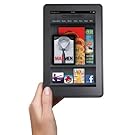
    But alas, I have found an easier "more Mac Friendly" solution. Adobe Acrobat Pro. You see, Mac's can natively print to PDF. I can then use Acrobat Pro to make a "blank" form not only fillable but also digitally sign-able. I even found "ezPDF Reader" for my Android phone that lets me edit these PDF's right on my phone. Once I get a tablet (I hoping for a new Kindle Fire for Christmas) I will be able to load that app on the tablet and continue to work from the tablet using PDF's.

    Mac, has once again, screwed me by "just working". Thanks.

    So what now? Now, I am in that transitional phase between developer and user. I am sliding away from writing my own software and just using what works. Its amazing how much is really available. Oh, I also haven't had to restart my Macbook Pro in 18 days, 14 hours and 31 minutes as of this post, but that's just bragging.


Friday, November 11, 2011

Amazon's, Apples and Google's ... oh my!

    Tablet, eReader or just move some stuff around for a while? That is the question.

    A while back I was trying to decide to whether to develop for Android or iOS/osX. I have since decided on the latter. Not for any altruistic reason, mainly because I just like the way Apple products work. Then, when I wasn't looking, Amazon introduces the Kindle Fire. A "sub" tablet like device intended for media consumption. The competition on the field seems to be getting better.

    Since my initial decision to learn Xcode I have started to setup my "development environment". Not just the software I use, but my workspace as well. A few surprises have struck me in the way I work. First, I have decided that whenever possible I will get the electronic version of any book I buy. I already have more books than my house can store in any reasonable manner so this was an easy choice.

    What I haven't counted on is the way I access such material. I have the Kindle app on my Android phone and my MacBook pro. I have purchased a couple of books (in Kindle format) to help me learn Xcode and Objective-C. What I didn't count on was how inconvenient it was to have to switch from my Xcode screen and my Kindle application. I really like running the Amazon Kindle application full screen as it get a full page view that is easy to read at a glance. What I need is a way to move my eBooks off of my desktop that I am also trying to do work on. The screen on my Android phone is just too small to get the job done. What to do?

    I have a few of options to play with, but neither the time nor money to explore every possibility in practice. So, as I usually do, I research the problem to death until I can find a solution that will work for me.


    Solution #1:
    Use a USB to VGA adapter to setup a second external screen, rotate it into portrait mode and just leave it for things like the Amazon Kindle application or viewing PDF's. Since the frame rate of USB video is usually unusable for gaming (with I rarely do anyway) it would be just for simple documents or web pages. This would free up my desktop and still allow me to easily have my eBooks open at the same time.


    Solution #2:
    Get an eReader.

    The Amazon Kindle Fire looks to be a great choice, at least at first glance. The problem is that I know it can do so much more than Amazon will allow. So, I will probably end up rooting the darn thing to make it do more. I will spend so much time on that I won't get any real work done. Also I am not sure how well the display will look in direct sunlight.


    The Apple iPad or iPad2 is a great choice and I would get one today if they weren't so expensive. After using an iPad2 that a co-worker has purchased, I really like it. I just can't justify spending that kind of money on something I won't be doing my primary work on. Call me cheap, but I don't think I would take it to work either. I would be in too much fear of scratching and/or breaking the thing.

    Getting a "real" Android tablet is also out of the question. The ones that are worth anything cost as much as an iPad2 but Android just isn't refined enough yet to compete for a quality user experience. Besides their cost, the sheer size and weight are a major deterrent. Some of these feel like a laptop with the lid flipped over.

    Of course, there is also the basic $79 Kindle eReader from Amazon that would do the job. In fact it's currently the forerunner of the eReaders I am looking at. It's cheap, reliable, small and light weight yet large enough to "look" like a real book. However it is in black and white, so color pages may or may not display correctly. My wife currently has a Kindle 3G (the one with the keyboard) and has many medical books on it. While images look just fine most of the time, there are those rare occasions when you get an error like "image size to large" or some such. While not a perfect solution, I could just as easily toss it in the car and read it when I am my lunch break and not worry to much about damaging it. That alone makes it a very attractive option.

    Solution #3:
    This one will require a complete re-arangment of my work area. You see, I currently use a "Henge Dock"( http://www.hengedocks.com/ ) which stands up my MacBook pro on end when docked. That means the lid is closed and I use an external display, hence Solution #1. Basically I would drop the dock, and go back to plugging in and unplugging some four or five connections every time I leave my desk with my laptop. The dock is great for just grab and go. When I return I just drop the laptop back in and I am ready to go. Easy peasy.

    Of course, this is also the cheapest option as I do not have to purchase anything else, but would do away with my dock that I have already spent $60 on. This is actually the most complicated option really. Mainly because I have a smallish work space as both me and my wife share a room that we both use as an office. It's not cramped, but doesn't really leave room for expansion either.

    However, since it is in fact the cheapest solution, and the holidays are coming up fast, I think it will be the one I at least try first. Who knows, maybe Santa will be nice this year.

Google+ and Blogger

    No one who uses Google+ and Blogger.com can argue that better integration would be a good thing. Currently Google owns both of the services and they are both great at what they do and serve their respective target audiences well. Many users of both Google+ and Blogger.com have been Google fans for years. Even if you don't consider yourself a fan, per-say, you have to admit that most people use Google products in someway on a regular basis. 

    Since its launch, Google+ has faced an uphill battle for acceptance. Early adopters tended to be more "tech" minded and not afraid to try something new. It is the users who make up the culture of any service, not the service itself. Those early adopters (myself included) have gone a long way towards developing that culture. For better or worse, Google+ is what it is today because of those who are not afraid of change. 
    
    Blogger.com users are also a niche group. Not everyone will start a blog, or even read one. For those of us who do decide to start a blog, only around ten percent will stay with it or try to make anything out of it. The ones that remain however, tend to be snappy and witty while trying to appeal to their particular target audience. 

    While the types and topics of Blogs are as varied as their users, most try to stick with a single focus in the hope of regular visitors for each new post. Sadly I am still trying to figure out what exactly this particular blog is suppose to be about. It seems that the randomness of the topics is the only constant. I digress, I am losing focus. Something I seem to be good at. 

    So here are my top five ideas for better integration of Google+ and Blogger: 
  1. Have a setting that can be turned on or off by the user that will auto post the title and first paragraph of the newly published blog post on your Google+ page. (Link to the blog of course)
  2. Allow people to "theme" their Google+ page to match their blog for a more seamless user experience. 
  3. Have a page or tab on blogger that also shows your Google+ posts. 
  4. Include a circle for your blog (see item#3) on Google+
  5. View other blogs on Google+ (like item #1) by adding it to a circle.  
    This of course is assuming that we don't get "total" integration. That is, all of the Blogger.com functionality right inside of Google+. That would be good, except for those (again such as myself) that try to monazite their blogs by including advertisements. If you could park a domain on your Google+ page while keeping your source of revenue that would be just about perfect. It would give you all of the benefits of Google+ while keeping the personalization of Blogger.com 
    
    Of course, I don't see this happening anytime soon, but it would be nice. A user could have one portal that would allow them to follow all of the social feeds they want, allow others to follow you, and still monazite your site. Almost sounds to good to be true, which is why it probably won't happen. 
    
    Still, the way we use the internet is always changing and will continue to change for a long time to come.


Tuesday, October 25, 2011

Some interesting stats ...

    I was just looking at my statistics for my blog and I got some interesting numbers. Keep in mind that most of the time I never look at these things as I really don't have any idea how to effectively use such information. I am not an analyst. Yet the information is available so I looked anyway. Blogger.com keeps track of all these numbers automatically so I haven't really had to "do" anything to get them, besides look at the page they are on.

    For "Web browsers" that visit my blog, Safari ranks number one with 58% of all visitors using it. Firefox came in second with 26% and Microsoft Internet Explorer came in last at 14%.

    For Operating system Apple Macs won out again by a lot at 54%, while windows was only at 22%. Linux came in third at 17% leaving Blackberry and the Apple iPad to get 2% each.

    Well that's all great, but what does it mean? Not much really. Even though I myself use a mac, none of these "page views" are from me. There is a setting in blogger.com that prevents it from counting a view if I am logged in, which is always. So none of these are from me. I don't have any iOS devices so those are out as well. I don't even know anyone who uses a Blackberry.

    For one thing, I noticed that it separates iPad and Mac, but I am sure that iPhone uses safari as well, and it doesn't show me those. Also, I am not sure if Googles Android OS would show up separately or as Linux.

    I think it is because I talk so much about Mac's and Cocoa programming and generally a lot about Apple that just more people with Mac's tend to find my blog. Not that I really care how or why a person gets on the internet, but it is nice to see that people do actually read this stuff from time to time.

    Still, it is a good reminder that companies do track this sort of information. I suppose I could read into this that my "target audience" should be Mac users running "Safari". I don't think I will.

    For whatever it's worth, these are my bog stats for that last month. I won't post actual page visits or any "real" numbers, there really is no need, and I really don't care enough about actual numbers to put it all down. Still, these numbers are fairly interesting and I often wonder who are all these people that actually visits my blog. I guess anonymity is worth something. Until next time ...

Saturday, July 30, 2011

Learning the ropes

    So as you may remember from my previous post last Wednesday, I had chosen to develop for Mac OS and iOS rather than the Google Android OS. I also wanted to see if someone could be self taught to do this and actually become a capable programmer.

    Before we get too far down the rabbit hole I should bring you up too speed on my current knowledge of computers, programming and generally all things electronic. First, I am a gadget geek. I love gadgets. I don't really own a lot of a gadget's, but I do like to follow tech news and try to stay on top of what is out there and what is coming soon. Part of the reason for this is just good old-fashioned consumer information. As a good example of one of my blunders, three days after I purchased my Macbook Pro Apple released the newer model. It happens. I could have returned my Macbook, the Apple Store where I purchased it included a 30 day unconditional return policy, and then re-purchased the new model. It may have even been the smart thing to do. Fortunately for me Mac's tend to last for many years.

Wednesday, July 27, 2011

Of books and electrons ...

    I love books, all kinds of books. I can read a user manual the same way I read a good piece of fiction. I love to learn new things as much as I like to get lost in my imagination as I am swept away on a galactic quest to save the universe. Books can inspire, teach, inform and even change opinions. Books are a very powerful thing.

    Books are things. They can be held, burned and even torn apart. The feel of paper against your fingers is a very real sensation. Seeing words printed on a page gives them a sense of finality that is hard to explain or quantify. Most of us have been reading books since before we can remember, from the earliest days of our youth.

    I own many books. Nothing rare or exotic, but I do own a lot of them. They take up more space than I initially imagined. Whenever I get a new book, I look at its small size and think nothing of where to put it when I am done with it. I just buy it, read it and if the book is lucky I will take the time to find a nook to cram it into on one of my many book shelves. More than likely it will get moved from coffee table to the end table, from there to the headboard, then on to my desk, and finally back to coffee table more times than I can count. Eventually, it will most likely end up in an unlabeled cardboard box in the storage shed. It seems like a semi-tragic end for a thing that, at least for a time, brought me some small semblance of joy. 

Tuesday, July 26, 2011

XCode and Apple ...

<Warning>
<Nerd Speak Ahead>

    In an earlier post, I discussed my thoughts on whether or not I should learn to develop applications in Java or Apple's proprietary version of Objective-C known as Cocoa. At this point I feel I am obligated to at least re-cap some of the arguments for each.

    In favor of Java: There is a mountain of resources for learning the language. It is fairly well known and cross-platform (meaning you can get Java applications on just about anything from PC's to smart phones). It is well understood by the development community and has a very wide install/user base. 

Saturday, July 23, 2011

Blogging takes times

    Blogging, I have discovered takes a bit of time. It's not just taking the time to actually sit down and write a post, and hope it is at least mildly entertaining. It also includes taking the time to publish, publicize, design, set layouts, choose fonts and so much more. While this is not my first blog, it is the first one I have actually tried to keep going for more than five posts.

     Today I hit 100 views on this blog. Not really a high number considering it has been going for more than a month. Still, the blog is new, and I am new to it.

    I think I am starting to work out what this blog will be about. Recently I started to "tag" my posts to make them easier to search, and find things. Really, the only tag I have used more than once so far is "Android". I have used that one 3 times. Does than mean that I am going to make this yet another "Android" blog? No. Not at all. What I mean is, I think I am starting to get a feel for what it means to blog regularly. It takes time.

Android vs iOS ... it's not what you think

    Android or iOS? That is the question that confounds my thoughts.

    Not which is better, or more popular, or even easier to use. What I am looking for is which platform do I learn to write software for? I seem to be good at putting my time into the wrong one. I have already wasted years learning to develop on Microsoft Windows and Windows Mobile. Part of the reason I did nothing special with either of them was a decisive lack of joy.

    Yes Windows will get the job done, most of the time, but that doesn't mean you are going to enjoy getting it done. The user experience for most Windows users is one of constant updates, clearing of caches, deleting of cookies, scanning for viruses and installing yet more software to make some piece of mundane hardware work until then next Windows update renders the drivers obsolete or unstable. My years with Microsoft and their operating systems dates back before Windows, before all of this WYSIWYG computing. I remember using computers before Microsoft ever released DOS 2.1 to the public. Yes, I have been using computers since the days of CP/M machines. For those you who are too young to know what a CP/M computer is, consider yourself lucky.

Tuesday, July 19, 2011

Its been a while ...

    Yes, I have been away from the blog for a few days and I do apologize. My birthday was over the weekend and I enjoyed it immensely. There was no cake, no ice cream, no fanfare. No, instead I chose to just have a really great day with my family. But I digress, I promised I wouldn't get too personal on this blog. So there it is, I am a year older now. On to the post at hand.

    While I was away from the blog I found a great way to take screenshots of my Android phone. With one tiny app that requires no additional software on my Mac I can now take screen shots with my web browser like this one:

 
    The Android app is called PicMe and is available in the Android Market. It does require "root" to use. Their are other "non-root user" ways to take a screen shot, even get live video of your phone working. I merely had no intention of installing the Android Development Kit and other pieces of software on my Mac to get it done. I wanted a nice simple solution, and this is the one I have found that works for me.