In [this previous post] I had started working my way through the book, Mastering Xcode 4: Develop and Design. I had decided to start with this book rather than Programming in Objective-C, third edition. The only real reason for this decision was time; I was looking for a shortcut to Mac and iOS programming. As you will soon see, it didn't quite turn out the way I expected.
Showing posts with label Objective-C. Show all posts
Showing posts with label Objective-C. Show all posts
Wednesday, January 4, 2012


Saturday, December 31, 2011
How to smash your head against a desk
Well, I made my decision. I took the shorter path, maybe. I have decided to work through the book "Mastering Xcode 4: Develop and Design." The book is very well written and comprehensive. Instructions and examples are all very clear, just make sure you look very carefully at the provided images of various parts of the Xcode software to see what "view options" are selected. If you are not familiar with Xcode, and I am not, some of terminology will take a little getting used to.
Friday, December 30, 2011
Teaching yourself to write software
I have been programming off and on again for around twenty years now. There is just something that I really find exciting about making a machine do exactly what I tell it to do. Of course that is often a problem as well. A computer cannot guess at your intentions or motives. Right or wrong, it will do exactly what it is told, nothing more. For the most part, my experience has been primarily in Microsoft Windows.
Saturday, December 24, 2011
Christmas is the time for wishes to come true ...
Today, a decision was made for me. Well, that is to say, a solution presented itself. Just in time for Christmas too. First a word about using the word Christmas.
I am not Walmart. I am not Amazon. I do not even call myself "Christian" and my beliefs are my own. I do, however, say "Merry Christmas." Christmas is more than a religious holiday, it is an American Cultural holiday and has been for a very long time. So, I will not say things like: Merry XMas or Happy Holidays or any other such nonsense. If this offends you, then that is your problem. Deal with it.
I am not Walmart. I am not Amazon. I do not even call myself "Christian" and my beliefs are my own. I do, however, say "Merry Christmas." Christmas is more than a religious holiday, it is an American Cultural holiday and has been for a very long time. So, I will not say things like: Merry XMas or Happy Holidays or any other such nonsense. If this offends you, then that is your problem. Deal with it.
Friday, November 11, 2011
Amazon's, Apples and Google's ... oh my!
Tablet, eReader or just move some stuff around for a while? That is the question.
A while back I was trying to decide to whether to develop for Android or iOS/osX. I have since decided on the latter. Not for any altruistic reason, mainly because I just like the way Apple products work. Then, when I wasn't looking, Amazon introduces the Kindle Fire. A "sub" tablet like device intended for media consumption. The competition on the field seems to be getting better.
Since my initial decision to learn Xcode I have started to setup my "development environment". Not just the software I use, but my workspace as well. A few surprises have struck me in the way I work. First, I have decided that whenever possible I will get the electronic version of any book I buy. I already have more books than my house can store in any reasonable manner so this was an easy choice.
What I haven't counted on is the way I access such material. I have the Kindle app on my Android phone and my MacBook pro. I have purchased a couple of books (in Kindle format) to help me learn Xcode and Objective-C. What I didn't count on was how inconvenient it was to have to switch from my Xcode screen and my Kindle application. I really like running the Amazon Kindle application full screen as it get a full page view that is easy to read at a glance. What I need is a way to move my eBooks off of my desktop that I am also trying to do work on. The screen on my Android phone is just too small to get the job done. What to do?
I have a few of options to play with, but neither the time nor money to explore every possibility in practice. So, as I usually do, I research the problem to death until I can find a solution that will work for me.

Solution #1:
Use a USB to VGA adapter to setup a second external screen, rotate it into portrait mode and just leave it for things like the Amazon Kindle application or viewing PDF's. Since the frame rate of USB video is usually unusable for gaming (with I rarely do anyway) it would be just for simple documents or web pages. This would free up my desktop and still allow me to easily have my eBooks open at the same time.
Solution #2:
Get an eReader.

The Amazon Kindle Fire looks to be a great choice, at least at first glance. The problem is that I know it can do so much more than Amazon will allow. So, I will probably end up rooting the darn thing to make it do more. I will spend so much time on that I won't get any real work done. Also I am not sure how well the display will look in direct sunlight.

The Apple iPad or iPad2 is a great choice and I would get one today if they weren't so expensive. After using an iPad2 that a co-worker has purchased, I really like it. I just can't justify spending that kind of money on something I won't be doing my primary work on. Call me cheap, but I don't think I would take it to work either. I would be in too much fear of scratching and/or breaking the thing.

Getting a "real" Android tablet is also out of the question. The ones that are worth anything cost as much as an iPad2 but Android just isn't refined enough yet to compete for a quality user experience. Besides their cost, the sheer size and weight are a major deterrent. Some of these feel like a laptop with the lid flipped over.

Of course, there is also the basic $79 Kindle eReader from Amazon that would do the job. In fact it's currently the forerunner of the eReaders I am looking at. It's cheap, reliable, small and light weight yet large enough to "look" like a real book. However it is in black and white, so color pages may or may not display correctly. My wife currently has a Kindle 3G (the one with the keyboard) and has many medical books on it. While images look just fine most of the time, there are those rare occasions when you get an error like "image size to large" or some such. While not a perfect solution, I could just as easily toss it in the car and read it when I am my lunch break and not worry to much about damaging it. That alone makes it a very attractive option.
Solution #3:
This one will require a complete re-arangment of my work area. You see, I currently use a "Henge Dock"( http://www.hengedocks.com/ ) which stands up my MacBook pro on end when docked. That means the lid is closed and I use an external display, hence Solution #1. Basically I would drop the dock, and go back to plugging in and unplugging some four or five connections every time I leave my desk with my laptop. The dock is great for just grab and go. When I return I just drop the laptop back in and I am ready to go. Easy peasy.
Of course, this is also the cheapest option as I do not have to purchase anything else, but would do away with my dock that I have already spent $60 on. This is actually the most complicated option really. Mainly because I have a smallish work space as both me and my wife share a room that we both use as an office. It's not cramped, but doesn't really leave room for expansion either.
However, since it is in fact the cheapest solution, and the holidays are coming up fast, I think it will be the one I at least try first. Who knows, maybe Santa will be nice this year.
A while back I was trying to decide to whether to develop for Android or iOS/osX. I have since decided on the latter. Not for any altruistic reason, mainly because I just like the way Apple products work. Then, when I wasn't looking, Amazon introduces the Kindle Fire. A "sub" tablet like device intended for media consumption. The competition on the field seems to be getting better.
Since my initial decision to learn Xcode I have started to setup my "development environment". Not just the software I use, but my workspace as well. A few surprises have struck me in the way I work. First, I have decided that whenever possible I will get the electronic version of any book I buy. I already have more books than my house can store in any reasonable manner so this was an easy choice.
What I haven't counted on is the way I access such material. I have the Kindle app on my Android phone and my MacBook pro. I have purchased a couple of books (in Kindle format) to help me learn Xcode and Objective-C. What I didn't count on was how inconvenient it was to have to switch from my Xcode screen and my Kindle application. I really like running the Amazon Kindle application full screen as it get a full page view that is easy to read at a glance. What I need is a way to move my eBooks off of my desktop that I am also trying to do work on. The screen on my Android phone is just too small to get the job done. What to do?
I have a few of options to play with, but neither the time nor money to explore every possibility in practice. So, as I usually do, I research the problem to death until I can find a solution that will work for me.

Solution #1:
Use a USB to VGA adapter to setup a second external screen, rotate it into portrait mode and just leave it for things like the Amazon Kindle application or viewing PDF's. Since the frame rate of USB video is usually unusable for gaming (with I rarely do anyway) it would be just for simple documents or web pages. This would free up my desktop and still allow me to easily have my eBooks open at the same time.
Solution #2:
Get an eReader.
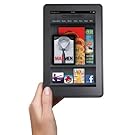
The Amazon Kindle Fire looks to be a great choice, at least at first glance. The problem is that I know it can do so much more than Amazon will allow. So, I will probably end up rooting the darn thing to make it do more. I will spend so much time on that I won't get any real work done. Also I am not sure how well the display will look in direct sunlight.

The Apple iPad or iPad2 is a great choice and I would get one today if they weren't so expensive. After using an iPad2 that a co-worker has purchased, I really like it. I just can't justify spending that kind of money on something I won't be doing my primary work on. Call me cheap, but I don't think I would take it to work either. I would be in too much fear of scratching and/or breaking the thing.

Getting a "real" Android tablet is also out of the question. The ones that are worth anything cost as much as an iPad2 but Android just isn't refined enough yet to compete for a quality user experience. Besides their cost, the sheer size and weight are a major deterrent. Some of these feel like a laptop with the lid flipped over.

Of course, there is also the basic $79 Kindle eReader from Amazon that would do the job. In fact it's currently the forerunner of the eReaders I am looking at. It's cheap, reliable, small and light weight yet large enough to "look" like a real book. However it is in black and white, so color pages may or may not display correctly. My wife currently has a Kindle 3G (the one with the keyboard) and has many medical books on it. While images look just fine most of the time, there are those rare occasions when you get an error like "image size to large" or some such. While not a perfect solution, I could just as easily toss it in the car and read it when I am my lunch break and not worry to much about damaging it. That alone makes it a very attractive option.
Solution #3:
This one will require a complete re-arangment of my work area. You see, I currently use a "Henge Dock"( http://www.hengedocks.com/ ) which stands up my MacBook pro on end when docked. That means the lid is closed and I use an external display, hence Solution #1. Basically I would drop the dock, and go back to plugging in and unplugging some four or five connections every time I leave my desk with my laptop. The dock is great for just grab and go. When I return I just drop the laptop back in and I am ready to go. Easy peasy.
Of course, this is also the cheapest option as I do not have to purchase anything else, but would do away with my dock that I have already spent $60 on. This is actually the most complicated option really. Mainly because I have a smallish work space as both me and my wife share a room that we both use as an office. It's not cramped, but doesn't really leave room for expansion either.
However, since it is in fact the cheapest solution, and the holidays are coming up fast, I think it will be the one I at least try first. Who knows, maybe Santa will be nice this year.
Saturday, July 30, 2011
Learning the ropes
So as you may remember from my previous post last Wednesday, I had chosen to develop for Mac OS and iOS rather than the Google Android OS. I also wanted to see if someone could be self taught to do this and actually become a capable programmer.
Before we get too far down the rabbit hole I should bring you up too speed on my current knowledge of computers, programming and generally all things electronic. First, I am a gadget geek. I love gadgets. I don't really own a lot of a gadget's, but I do like to follow tech news and try to stay on top of what is out there and what is coming soon. Part of the reason for this is just good old-fashioned consumer information. As a good example of one of my blunders, three days after I purchased my Macbook Pro Apple released the newer model. It happens. I could have returned my Macbook, the Apple Store where I purchased it included a 30 day unconditional return policy, and then re-purchased the new model. It may have even been the smart thing to do. Fortunately for me Mac's tend to last for many years.
Before we get too far down the rabbit hole I should bring you up too speed on my current knowledge of computers, programming and generally all things electronic. First, I am a gadget geek. I love gadgets. I don't really own a lot of a gadget's, but I do like to follow tech news and try to stay on top of what is out there and what is coming soon. Part of the reason for this is just good old-fashioned consumer information. As a good example of one of my blunders, three days after I purchased my Macbook Pro Apple released the newer model. It happens. I could have returned my Macbook, the Apple Store where I purchased it included a 30 day unconditional return policy, and then re-purchased the new model. It may have even been the smart thing to do. Fortunately for me Mac's tend to last for many years.
Tuesday, July 26, 2011
XCode and Apple ...
<Warning>
<Nerd Speak Ahead>
In an earlier post, I discussed my thoughts on whether or not I should learn to develop applications in Java or Apple's proprietary version of Objective-C known as Cocoa. At this point I feel I am obligated to at least re-cap some of the arguments for each.
In favor of Java: There is a mountain of resources for learning the language. It is fairly well known and cross-platform (meaning you can get Java applications on just about anything from PC's to smart phones). It is well understood by the development community and has a very wide install/user base.
Saturday, July 23, 2011
Android vs iOS ... it's not what you think
Android or iOS? That is the question that confounds my thoughts.
Not which is better, or more popular, or even easier to use. What I am looking for is which platform do I learn to write software for? I seem to be good at putting my time into the wrong one. I have already wasted years learning to develop on Microsoft Windows and Windows Mobile. Part of the reason I did nothing special with either of them was a decisive lack of joy.
Yes Windows will get the job done, most of the time, but that doesn't mean you are going to enjoy getting it done. The user experience for most Windows users is one of constant updates, clearing of caches, deleting of cookies, scanning for viruses and installing yet more software to make some piece of mundane hardware work until then next Windows update renders the drivers obsolete or unstable. My years with Microsoft and their operating systems dates back before Windows, before all of this WYSIWYG computing. I remember using computers before Microsoft ever released DOS 2.1 to the public. Yes, I have been using computers since the days of CP/M machines. For those you who are too young to know what a CP/M computer is, consider yourself lucky.
Not which is better, or more popular, or even easier to use. What I am looking for is which platform do I learn to write software for? I seem to be good at putting my time into the wrong one. I have already wasted years learning to develop on Microsoft Windows and Windows Mobile. Part of the reason I did nothing special with either of them was a decisive lack of joy.
Yes Windows will get the job done, most of the time, but that doesn't mean you are going to enjoy getting it done. The user experience for most Windows users is one of constant updates, clearing of caches, deleting of cookies, scanning for viruses and installing yet more software to make some piece of mundane hardware work until then next Windows update renders the drivers obsolete or unstable. My years with Microsoft and their operating systems dates back before Windows, before all of this WYSIWYG computing. I remember using computers before Microsoft ever released DOS 2.1 to the public. Yes, I have been using computers since the days of CP/M machines. For those you who are too young to know what a CP/M computer is, consider yourself lucky.
Subscribe to:
Posts (Atom)